Business Card Mockup - 11: A Powerful Tool for Showcasing Your Artwork
When it comes to presenting your creative work to clients, having a professional and visually appealing display is essential. Business Card Mockup - 11 offers an effective solution that allows you to showcase your artwork, illustrations, watercolors, and drawings in a realistic and polished manner. This mockup file is designed to help you present your designs with confidence, ensuring that your creative vision stands out.
What Is Business Card Mockup - 11?
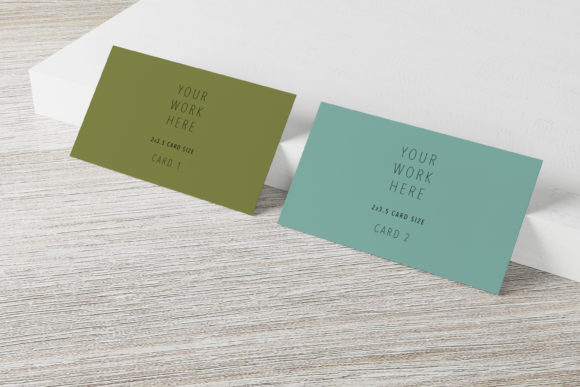
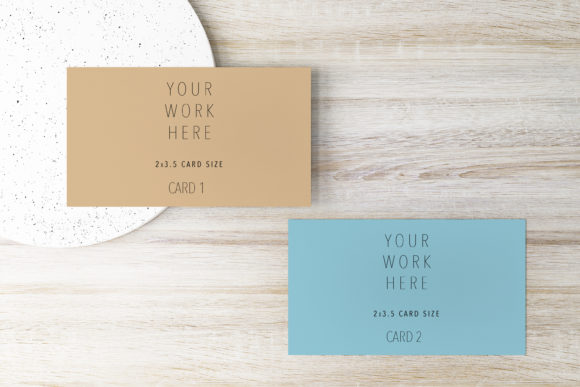
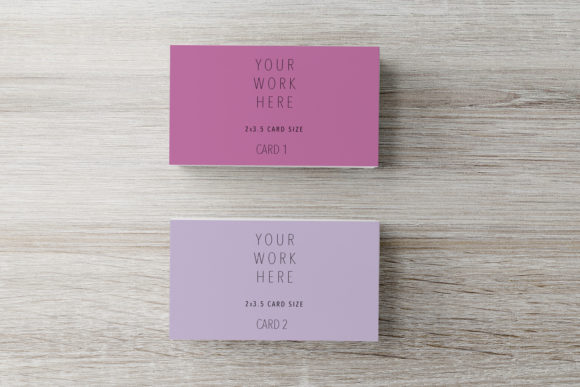
Business Card Mockup - 11 is a high-quality mockup file that provides a realistic representation of how your artwork will look when printed on a business card. It includes a PSD mockup file with a smart object, allowing you to easily place your design within the card's dimensions. The mockup also comes with a JPG file featuring a white background, making it simple to use in various design projects.
This mockup is ideal for artists, designers, and creatives who want to demonstrate their work in a professional setting. Whether you're pitching to potential clients or sharing your portfolio online, Business Card Mockup - 11 ensures that your artwork is displayed in the best possible light.
Key Features of Business Card Mockup - 11
One of the standout features of Business Card Mockup - 11 is its support for different artwork sizes. The mockup is designed to accommodate a card size of 3.5 x 2 inches, which is a standard dimension for many business cards. This makes it easy to integrate your design into a format that is both practical and visually appealing.
The mockup includes a high-resolution 300 DPI file, ensuring that your artwork looks sharp and clear when viewed or printed. This level of detail is crucial for maintaining the quality of your design, especially when presenting it to clients who may be looking for a professional finish.
Another important aspect of Business Card Mockup - 11 is its ease of use. The PSD file contains a smart object, allowing you to place your artwork directly into the mockup without the need for complex editing. This feature saves time and effort, making it an excellent choice for those who want to focus on their creativity rather than technical details.
How to Download and Use Business Card Mockup - 11
Getting started with Business Card Mockup - 11 is straightforward. Once you purchase or access the mockup, you will receive a text file named download file.txt. This file contains the link needed to download the mockup files. Simply copy the link and follow the instructions to download the PSD and JPG files.
Once you have the files, you can begin using them immediately. The PSD mockup allows for seamless integration of your artwork, while the JPG file provides a clean white background for easy viewing. These files are compatible with most design software, making them versatile for different workflows.
It's important to note that Business Card Mockup - 11 is not a scene creator, meaning you cannot move items or change the background. However, this limitation is offset by the convenience of having a pre-designed scene that highlights your artwork effectively. The mockup includes a background and smart object, making it simple to place your design in the right spot.
Why Choose Business Card Mockup - 11?
Business Card Mockup - 11 offers several advantages that make it a valuable tool for creatives. One of the main benefits is its ability to save time. Instead of spending hours creating a custom scene for your artwork, you can use this mockup to instantly present your design in a realistic setting. This efficiency is particularly useful when working under tight deadlines or managing multiple projects.
Another reason to choose Business Card Mockup - 11 is its focus on real photo mockups. Unlike virtual or digital items, these mockups provide a more authentic representation of how your artwork will look when printed. This realism can help inspire your customers and give them a better understanding of the final product.
Additionally, Business Card Mockup - 11 is suitable for a wide range of industries and creative fields. Whether you're a graphic designer, illustrator, or artist, this mockup can help you showcase your work in a professional and engaging way. Its versatility makes it an excellent addition to any creative toolkit.
Best Practices for Using Business Card Mockup - 11
To get the most out of Business Card Mockup - 11, consider the following tips. First, ensure that your artwork is optimized for the 3.5 x 2 inch dimensions. This will help maintain the clarity and impact of your design when placed in the mockup.
Second, take advantage of the high-resolution 300 DPI files to ensure that your artwork looks sharp and detailed. This is especially important if you plan to print the mockup or share it with clients who may require a high-quality image.
Finally, experiment with different layouts and placements to find the best way to showcase your work. While the mockup has a fixed background, you can still adjust the positioning of your design to highlight key elements and create a visually appealing composition.
Conclusion
Business Card Mockup - 11 is a powerful tool that enables creatives to present their artwork in a professional and realistic manner. With its high-resolution files, easy-to-use design, and support for standard business card dimensions, it offers a convenient solution for showcasing your work. Whether you're a designer, artist, or illustrator, this mockup can help you elevate your presentation and make a lasting impression on your clients.